
15
Oct
2026
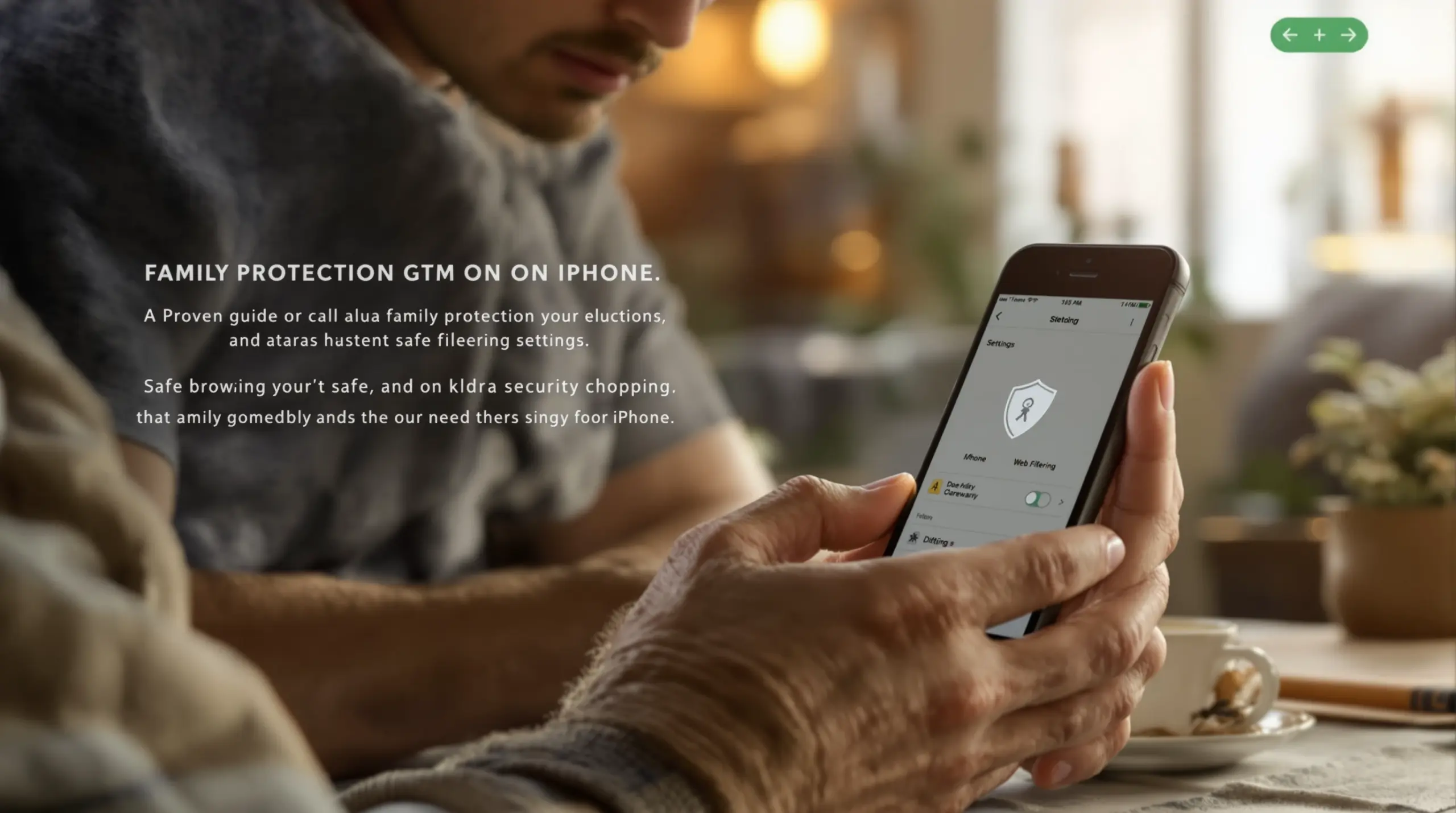
Proven Guide: How to Block Porn on iPhone for Families
15/October/2026
Learn how to block porn on iPhone using native settings and dedicated safe browsers. Protect your family from explicit content with our complete guide today.
Table of Contents
- Introduction
- What Are the Built-in Options to Block Adult Content on iPhone?
- Why Do Native iPhone Filters Fail to Stop Explicit Content?
- How Does a Dedicated Safe Browser Improve iPhone Web Filtering?
- What Features Should Parents Look for in an iPhone Web Filter?
- Important Questions
- Comparing iPhone Web Filtering Methods
- How SPIN Safe Browser Protects Your Family
- How to Block Porn on iPhone in 4 Steps
- Final Thoughts
- Sources & Citations
Quick Summary
How to block porn on iPhone involves configuring native Screen Time restrictions or installing a dedicated safe browser to filter explicit websites automatically. While Apple provides basic web content filters, dedicated safe browsers offer bypass-proof protection, enforced SafeSearch, and zero-configuration blocking to keep children and families secure online.
How to Block Porn on iPhone in Context
- 68.4 percent of adolescents in nationally representative U.S. surveys had experienced exposure to online pornography (National Library of Medicine, 2025) [1] .
- 75 percent of parents believed their children had never been exposed to pornography, highlighting a massive gap in digital awareness (National Library of Medicine, 2025) [1] .
- iOS provides 3 web-content settings: Unrestricted Access, Limit Adult Websites, and Allowed Websites (Apple Support, 2026) [2] .
- Limit Adult Websites is enabled by default for children under 18 when parental controls are configured through Family settings (Apple Support, 2026) [2] .
Introduction
Finding out how to block porn on iPhone devices is an important step for modern parents managing the complex digital environment. With smartphones increasingly in the hands of younger children, the risk of accidental or intentional exposure to explicit material is a constant source of anxiety for families. A 2025 review published in the National Library of Medicine found that 68.4 percent of adolescents in nationally representative U.S. surveys had experienced exposure to online pornography (National Library of Medicine, 2025) [1] . Shockingly, the same study noted that 75 percent of parents believed their children had never been exposed to such content (National Library of Medicine, 2025) [1] . This massive gap between parental perception and digital reality highlights the urgent need for reliable, uncompromised web filtering.
At SPIN Safe Browser, we understand the emotional toll this takes on families, which is why we build bypass-proof browsing environments that automatically shield children from explicit hazards without requiring complex network setups. In this comprehensive guide, we will explore the built-in Apple restrictions, explain why they fall short against tech-savvy kids, and show you how dedicated safe browsers provide the strong security your family deserves. Whether you are managing a single device or a fleet of family tablets, understanding your options is the first step toward true digital wellness.
What Are the Built-in Options to Block Adult Content on iPhone?
Apple provides native tools within iOS to restrict web content, primarily managed through the Screen Time settings menu. When parents ask how to block porn on iPhone devices, the first stop is usually the built-in Content & Privacy Restrictions. According to Apple Support, iOS and iPadOS automatically filter website content to limit access to adult content in Safari and other apps on an iPhone or iPad (Apple Support, 2026) [2] . The system offers three distinct web-content settings: Unrestricted Access, Limit Adult Websites, and Allowed Websites (Apple Support, 2026) [2] .
For most families, the Limit Adult Websites option is the default choice. Apple states that Limit Adult Websites is enabled by default for children under 18 when parental controls are configured through Family settings (Apple Support, 2026) [2] . This setting uses a basic blacklist to prevent Safari from loading known explicit domains. For younger children, parents tighten these guardrails further. Apple states that Ask to Browse is enabled by default for children under 13 in supported Family settings (Apple Support, 2026) [2] . This specific feature requires a child to request approval before visiting a new website in Safari and other supported browser apps on an iPhone, iPad, or Mac (Apple Support, 2026) [2] .
While these native tools provide a foundational layer of internet safety, they are largely confined to the Safari ecosystem. Apple provides two principal website-filtering choices for a child’s device: Limit Adult Websites and Approved Websites Only (Apple Support, 2026) [2] . The Approved Websites Only route is highly restrictive and impractical for older students who need to research diverse topics for school assignments. Consequently, most parents rely on the Limit Adult Websites filter, assuming it covers all bases. However, understanding the architectural limitations of these native filters is important before relying on them to protect your child’s digital wellness entirely.
Why Do Native iPhone Filters Fail to Stop Explicit Content?
Native iPhone filters frequently fail because tech-savvy children easily bypass Safari restrictions using alternative browsers, private tabs, and proxy websites. The core issue with relying solely on Apple’s Screen Time web restrictions is that they do not universally govern every application downloaded from the App Store. If a child downloads a third-party browser, the native Limit Adult Websites filter does not apply, leaving a massive loophole for explicit content. Native filters do not inherently force SafeSearch on search engines. A child easily opens Google Images, disables SafeSearch in the browser settings, and views explicit material without triggering a domain block.
Another major vulnerability is the prevalence of proxy websites and anonymizer domains. These sites act as middlemen, allowing users to type a blocked URL into a web form and view the restricted content through the proxy’s unblocked domain. Native iOS filters struggle to keep up with the thousands of new proxy sites created daily. The grey area of the internet poses a significant challenge. Many mainstream forums, social media platforms, and file-sharing hubs host unmoderated explicit media that bypasses standard adult site blacklists entirely.
Parents believe that setting a Screen Time passcode is enough to secure the device. However, children quickly learn to search for workarounds, such as changing the device’s DNS settings or using VPN apps to route traffic outside of Apple’s filtering jurisdiction. This constant cat-and-mouse game creates unnecessary friction and anxiety in the household. To truly secure a device, parents need a solution that eliminates these evasion vectors at the software level, ensuring that explicit material is blocked regardless of the network or app being used. Finding a reliable way to SPIN your family’s safe web browser ensures that these common loopholes are closed permanently.
How Does a Dedicated Safe Browser Improve iPhone Web Filtering?
A dedicated safe browser improves iPhone web filtering by operating as a fully contained, zero-configuration environment that blocks explicit domains before they load. Unlike native filters that rely on operating system-level toggles, a purpose-built safe browser handles all web rendering and filtering internally. This means that every URL request is evaluated against real-time cloud domain classification databases, instantly blocking millions of websites spanning high-risk categories like adult content, gambling, and malicious proxies. When you install a safe web browser for iOS , you are deploying an active shield rather than a passive, easily outdated list.
One of the most significant advantages of a dedicated safe browser is the enforcement of protocol-level SafeSearch. Standard mobile browsers allow users to toggle SafeSearch off, but a safe browser hard-codes strict image and text filtering across major search engines, including Google, Bing, DuckDuckGo, and Ecosia. This ensures that even if a child searches for a benign term that yields mature image results, the search engine is forced to filter the output. Integrated YouTube filtering automatically strips flagged videos, inappropriate comments, and explicit search results directly inside the browser interface, locking the platform into Restricted Mode.
Performance is another critical factor for families. Many traditional filtering apps route mobile data through local VPN tunnels, which drains battery life and slows down page load speeds. A premium safe browser uses a zero-VPN architecture, filtering web traffic directly within its native rendering engine. This delivers lightning-fast page loads and optimized battery life on both 5G cellular networks and home Wi-Fi. According to independent reviews, SPIN Safe Browser Analysis via download.com highlights how this native engine approach provides enterprise-grade domain blocking without the latency drops associated with heavy VPN clients. By removing private browsing modes and dropping proxy traffic automatically, these browsers provide a smooth, secure experience that requires zero daily management from parents.
What Features Should Parents Look for in an iPhone Web Filter?
Parents evaluating an iPhone web filter should prioritize bypass prevention, automatic SafeSearch enforcement, and tamper-resistant settings that children cannot disable. The most effective web filters share a common set of core features designed specifically to withstand the curiosity and technical ingenuity of children and teenagers. First and foremost, the browser must completely disable Incognito and Private Browsing modes. Private tabs are the most common tool used to bypass basic history tracking and session-based filters, so removing the option entirely is a non-negotiable requirement for true digital wellness.
The iPhone web filter must actively block proxy, anonymizer, and unverified browser extension domains. As mentioned earlier, proxy sites are the primary workaround for blacklisted domains. A strong filter will categorize and drop traffic to these evasion tools automatically, ensuring that the device remains secure whether the child is connected to the school Wi-Fi or a cellular hotspot. The ability to create custom allow and block lists is necessary for tailoring the experience to your family’s specific values. Parents whitelist educational portals while permanently blocking specific social media or gaming sites that host unmoderated content.
Tamper resistance is the final pillar of a reliable web filter. The application must protect its internal settings behind a secure, private passcode that is distinct from the device’s main unlock code. This prevents children from simply opening the app settings and turning the filter off. The best filters operate without requiring mandatory user account registrations or complex network configurations, making them incredibly easy for non-technical parents to deploy. As noted in industry evaluations, SPIN Safe Browser is ideal for users seeking a simple, plug-and-play browser that delivers uncompromised accountability and immediate protection straight out of the box. By focusing on these important features, parents can transition from constantly policing device usage to enjoying genuine peace of mind.
Important Questions
How do I block adult sites on my child’s iPhone for free?
Parents block adult sites for free by enabling the Limit Adult Websites setting within the native Apple Screen Time parental controls menu. This basic filter prevents Safari from loading known explicit domains, though it does not protect against third-party browsers or proxy workarounds.
Can my child bypass Apple Screen Time web restrictions?
Tech-savvy children frequently bypass Apple Screen Time web restrictions by downloading unfiltered third-party browsers, using proxy websites, or accessing explicit image search results. Because native filters primarily target Safari, any alternative browser installed from the App Store easily circumvents these basic guardrails.
Does blocking porn on iPhone affect battery life or internet speed?
Native iOS filtering has zero impact on battery life, but heavy third-party VPN filters drain batteries and slow down mobile internet speeds significantly. Dedicated safe browsers that use a zero-VPN native engine architecture filter traffic locally without routing data through external tunnels, preserving both speed and battery life.
What is the most secure browser for kids on iOS?
The most secure browser for kids on iOS is a dedicated safe browser that removes private tabs, forces SafeSearch, and blocks proxy domains automatically. These purpose-built applications provide a fully contained environment that eliminates the common loopholes found in standard mobile browsers.
Comparing iPhone Web Filtering Methods
Comparing native iOS filters, dedicated safe browsers, and network-level DNS filters helps parents choose the most effective protection strategy for their household. Each approach offers distinct advantages and limitations regarding bypass resistance, ease of setup, and overall device performance. Native iOS filters are free and built directly into the operating system, making them an accessible starting point for basic content restriction. However, they lack universal app coverage and are easily circumvented by alternative browsers.
Network-level DNS filters protect all devices on a home Wi-Fi network but fail completely when the iPhone leaves the house and switches to cellular data. Dedicated safe browsers bridge this gap by providing consistent, network-agnostic protection that travels with the device.
| Filtering Method | Bypass Resistance | Network Coverage | Battery Impact |
|---|---|---|---|
| Native iOS Screen Time | Low (Bypassed via third-party apps) | Device-specific | Zero impact |
| Home DNS Network Filter | Medium (Bypassed via cellular data) | Home Wi-Fi only | Zero impact |
| Dedicated Safe Browser | High (Blocks proxies, forces SafeSearch) | Any network (Wi-Fi & Cellular) | Minimal (Zero-VPN engine) |
How SPIN Safe Browser Protects Your Family
SPIN Safe Browser delivers industry-leading, multi-platform web filtering designed to provide a clean, secure, and distraction-free internet experience for families. Built specifically for parents who need reliable guardrails, SPIN establishes a hardened online sanctuary by automatically neutralizing exposure to pornography, explicit media, and unmoderated grey area web content. Our zero-configuration cloud filtering technology dynamically scans web traffic in real time, enforcing strict SafeSearch policies across all major search engines while keeping YouTube locked in Restricted Mode.
Unlike traditional parental control apps that rely on easily disabled system toggles, SPIN Safe Browser strips away common bypass vectors such as private browsing, proxy tools, and unauthorized extensions. We believe that internet safety should not require a degree in IT, which is why our app provides immediate protection the moment it is installed, without complex router setups or local VPN overhead. For families seeking comprehensive protection across all devices, our Web Filter for iOS, Android & Schools | SPIN Safe Browser ensures consistent security whether your child is using an iPhone, an iPad, or an Android tablet.
‘Important Protection for My Kids: I installed SPIN on my 12-year-old’s iPad and locked down app downloads. It blocks mature search results, bad websites, and explicit YouTube comments automatically with zero setup. It actually cares about children’s mental health, and it gives me complete peace of mind when they are doing research for school.’ – 5 Stars – iOS App Store review
How to Block Porn on iPhone in 4 Steps
Step 1: Restrict native Safari access
Open the Settings app on the iPhone, go to Screen Time, and select Content & Privacy Restrictions. Set the Web Content filter to Limit Adult Websites or disable Safari entirely to prevent unfiltered browsing.
Step 2: Install a dedicated safe browser
Visit the App Store and download the SPIN Safe Browser app . This provides a fully contained, zero-configuration environment that automatically blocks explicit domains and forces strict SafeSearch across all major search engines.
Step 3: Configure forced SafeSearch and YouTube restrictions
Open the safe browser settings to verify that protocol-level SafeSearch and YouTube Restricted Mode are active. These features ensure that mature images and inappropriate video comments are filtered out at the source.
Step 4: Lock settings with a secure passcode
Set a private, four-digit passcode within the safe browser application. This tamper-resistant lock prevents children from accessing the settings menu, altering custom allow/block lists, or disabling the web filter.
Final Thoughts
Understanding how to block porn on iPhone devices is necessary for building a safe, healthy digital environment for your children. While native Apple tools offer a basic starting point, they simply cannot match the bypass-proof security, forced SafeSearch enforcement, and zero-VPN performance of a dedicated safe browser. By taking proactive steps to close common loopholes, you protect your child’s mental health and give your family genuine peace of mind. Contact our support team today to learn more about securing your family’s devices with SPIN Safe Browser.
Sources & Citations
- A review published in 2025 reported that 54 percent of adolescents across six European countries had been exposed to online pornography. National Library of Medicine.
https://pmc.ncbi.nlm.nih.gov/articles/PMC12515835/ - iOS and iPadOS automatically filter website content to limit access to adult content in Safari and other apps on an iPhone or iPad. Apple Support.
https://support.apple.com/en-by/HT201304
