
14
Sep
2026
Best web filter for iphone for Safe Browsing
14/September/2026
A trusted web filter for iphone blocks explicit content and enforces SafeSearch automatically. Learn how to protect your family with secure iOS browsing today.
Table of Contents
- Introduction
- What Is a web filter for iphone and How Does It Work?
- Why Do Families Need iOS Content Filtering?
- How Does SPIN Safe Browser Protect iPhone Users?
- What Are the Limitations of Native Apple Screen Time?
- Your Most Common Questions
- Comparing iPhone Web Filtering Approaches
- How SPIN Safe Browser Supports Digital Wellness
- Practical Tips for iPhone Internet Safety
- Final Thoughts on web filter for iphone
- Useful Resources
Article Snapshot
A web filter for iphone is a specialized application that automatically blocks explicit websites, enforces strict SafeSearch, and prevents bypass attempts on iOS devices. It ensures children and adults experience a secure, distraction-free internet environment without requiring complex network configurations or technical expertise.
Market Snapshot
- 88 percent of children had access to a smartphone in 2025, making it the most common device alongside smart TVs (Family Online Safety Institute, 2025)[1].
- Parental controls were actively used on 47 percent of children’s smartphones in households that owned such devices (Family Online Safety Institute, 2025)[2].
- 86 percent of parents enforce household rules regarding when, where, or how their child can use screens (Pew Research Center, 2025)[3].
- Before the age of 18, 20 percent of children are exposed to some type of in-person or online sexual harm (Enough Abuse Campaign, 2024)[4].
Introduction
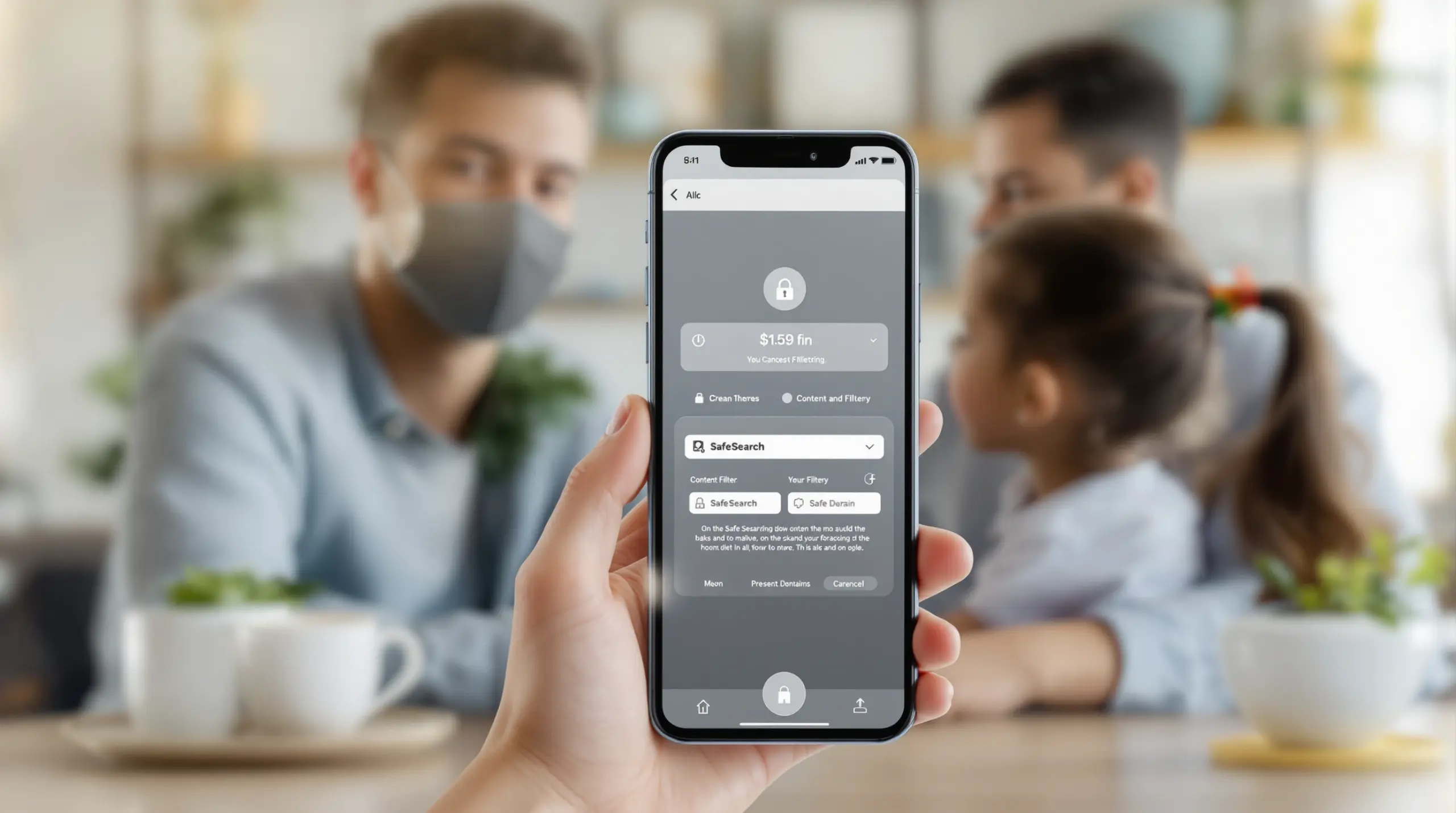
Finding a reliable web filter for iphone is important for modern parents using the internet. With 88 percent of children having access to a smartphone (Family Online Safety Institute, 2025)[1], the need for strong iOS content filtering has never been more urgent. Children encounter unmoderated search results, mature social media feeds, and explicit websites daily. SPIN Safe Browser provides a zero-configuration solution that automatically shields users from these digital hazards. Unlike basic native controls, a dedicated safe browser for iPhone eliminates common bypass routes like private browsing tabs and proxy servers.
The following guide explains why families and self-accountable adults rely on dedicated web filtering for iOS, how endpoint security outperforms standard network filters, and the practical steps to secure your Apple devices. We will also examine the limitations of built-in Apple restrictions and compare different approaches to mobile internet safety. Whether you are managing a single child’s device or overseeing a fleet of school iPads, understanding the mechanics of adult content blocking is the first step toward meaningful digital wellness, and resources like SPIN your family’s safe web browser can guide your efforts.
What Is a web filter for iphone and How Does It Work?
A web filter for iphone operates by analyzing and blocking web traffic directly within the browser engine or via a localized security profile to prevent access to harmful domains. When a user attempts to load a webpage, the iOS content filter evaluates the URL against a continuously updated cloud database of categorized websites. If the domain falls into high-risk categories such as adult content, gambling, or malicious proxy servers, the filter immediately drops the connection and displays a safe blocking page. This real-time domain blocking ensures that explicit material never renders on the screen, providing a strong layer of endpoint security for mobile devices.
Modern filtering solutions go far beyond simple blacklist databases. Advanced systems use artificial intelligence and machine learning to analyze page context, identifying ‘grey area’ websites that host unmoderated user-generated content or hidden mature media. A comprehensive web filter for iphone also enforces protocol-level SafeSearch across major search engines like Google, Bing, and DuckDuckGo. This means that even if a child types a benign query, the search engine is forced to return strictly filtered text and image results, eliminating the risk of accidental exposure to inappropriate thumbnails.
Another major component of how these tools work is the enforcement of YouTube Restricted Mode. By modifying outbound web requests, the filter automatically hides mature videos, flagged comments, and risky search suggestions directly within the mobile web interface. Unlike traditional network-wide filters that require complex router configurations or DNS changes, a dedicated safe browser for iPhone handles all of this natively. It operates smoothly across any Wi-Fi or cellular network, ensuring that protection follows the device wherever it goes. This network-agnostic deployment is particularly important for children who frequently transition between school networks, public hotspots, and home internet connections, guaranteeing uninterrupted family internet safety without relying on the underlying network infrastructure.
Why Do Families Need iOS Content Filtering?
Families require dedicated iOS content filtering to protect children from the staggering scale of online harm and to establish healthy digital boundaries. The modern internet presents significant risks to developing minds. According to the Enough Abuse Campaign, 20 percent of children are exposed to some type of in-person or online sexual harm before the age of 18 (Enough Abuse Campaign, 2024)[4]. The sheer volume of illicit material circulating online is immense; the National Center for Missing and Exploited Children received 20.5 million reports of suspected child sexual exploitation in 2024 alone (Thorn, 2025)[5]. These figures underscore the strong need for proactive adult content blocking on the devices children use every day.
Despite these risks, many households rely solely on informal guidelines. Stephen Balkam, Founder and CEO of the Family Online Safety Institute, notes that ‘Although about only half of parents use formal parental controls, most are engaged in their children’s digital lives through household rules and open communication’ (FOSI, 2025)[6]. While open communication is important, it cannot replace technical guardrails. Children are naturally curious, and accidental clicks or peer-shared links instantly expose them to explicit media. Kara J. Vaillancourt of the Pew Research Center highlights that ‘The vast majority of parents (86%) have rules around when, where or how their child can use screens’ (Pew, 2025)[3]. A reliable web filter for iphone acts as the enforcer of these household rules, ensuring that screen time remains safe and productive.
The psychological impact of unmoderated internet access is a growing concern for parents and mental health professionals. Unrestricted access to social media and unfiltered search engines leads to digital addiction, anxiety, and distorted worldviews. By implementing a strong iOS content filter, parents create a curated digital environment that supports healthy development. This approach aligns with the broader goal of digital wellness, allowing children to use technology for education and positive socialization while shielding them from the psychological hazards of the unfiltered web. Ultimately, technical safeguards provide the necessary friction to prevent impulsive browsing and protect a child’s mental well-being in an always-connected world.
How Does SPIN Safe Browser Protect iPhone Users?
SPIN Safe Browser protects iPhone users by combining zero-configuration cloud filtering with a tamper-resistant architecture that eliminates common bypass methods. Unlike standard mobile browsers that offer optional and easily disabled privacy modes, SPIN is engineered to be completely bypass-proof. The application permanently removes access to incognito mode and private browsing tabs, ensuring that every webpage visited is subject to strict scrutiny. The browser also actively engages in proxy blocking, dropping network traffic destined for known anonymizer services and VPN evasion domains. This prevents tech-savvy users from circumventing the filter to access restricted content.
Performance is a major concern with mobile security applications, but SPIN Safe Browser uses a unique zero-VPN native engine architecture. Traditional parental control apps frequently route all device traffic through a local VPN tunnel, which drains battery life, increases latency, and breaks background app connections. SPIN avoids this by executing content filtering directly within its native browser stack. This approach delivers lightning-fast page load speeds and preserves battery longevity on 5G and Wi-Fi networks, making it an ideal daily driver for both children and adults.
Beyond basic domain blocking, SPIN enforces strict SafeSearch and YouTube Restricted Mode at the protocol level. Every outbound search query is automatically modified to request filtered results from Google, Bing, and Ecosia, while YouTube’s mobile web interface is locked to hide mature videos and inappropriate comments. For families requiring more granular control, the SPIN+ subscription allows parents to build custom allow and block lists, manage global bookmarks, and set mandatory homepages. This flexibility ensures the browser adapts to the specific maturity level and educational needs of the user. Whether deployed for personal digital wellness or as a strict child online safety measure, SPIN provides an uncompromised, secure browsing environment that requires zero technical expertise to maintain, which is why SPIN Safe Browser is ideal for users seeking a simple, plug-and-play browser.
What Are the Limitations of Native Apple Screen Time?
Native Apple Screen Time presents significant limitations for comprehensive internet safety, primarily due to its reliance on basic URL blacklists and its vulnerability to user circumvention. While Apple’s built-in iOS parental controls offer basic app limits and downtime scheduling, their web content filtering capabilities are notoriously inconsistent. The native ‘Limit Adult Websites’ feature relies on a static, opaque list of blocked domains that frequently fails to catch newly registered explicit sites or unmoderated ‘grey area’ forums. Consequently, children easily stumble upon inappropriate material that simply has not yet been added to Apple’s internal blacklist.
Another major shortfall is the lack of enforced SafeSearch and restricted media modes. Apple Screen Time does not automatically force search engines to filter image results, nor does it reliably lock YouTube into Restricted Mode within third-party applications or the Safari browser. This leaves a massive loophole where explicit thumbnails and mature videos remain accessible despite the web restrictions being enabled. Tech-literate children also quickly discover workarounds for Apple’s native controls. By accessing alternative browsers from the App Store, using DNS-changing applications, or simply guessing the parental passcode, users bypass the restrictions entirely.
In contrast, a dedicated web filter for iphone like SPIN Safe Browser addresses these architectural flaws by operating as a fully contained, hardened environment. Because SPIN is a standalone application rather than a system-level overlay, it controls the entire rendering engine. It strips away the ability to download unauthorized browser extensions, blocks the installation of secondary unfiltered browsers when paired with mobile device management profiles, and prevents the deletion of the application itself. For K-12 educational institutions managing 1:1 iPad fleets, SPIN Safe Browser Enterprise integrates smoothly with MDM platforms via AppConfig XML payloads, offering CIPA compliance that Apple’s consumer-focused Screen Time simply cannot achieve. Relying solely on native tools leaves families and schools exposed to the exact threats they are trying to mitigate.
Your Most Common Questions
Does a web filter for iphone drain the battery?
A high-quality web filter for iphone preserves battery life by filtering traffic natively within the browser engine instead of using power-draining local VPN tunnels. Traditional filtering apps force all mobile data through a virtual private network, which causes significant battery drain and increases page load latency. By executing domain blocking and SafeSearch enforcement directly inside the application stack, modern safe browsers maintain optimal device performance and battery longevity across both cellular and Wi-Fi networks.
Can children bypass iOS content filtering tools?
Children cannot easily bypass dedicated iOS content filtering tools that permanently remove private browsing tabs, block proxy servers, and restrict alternative browser installations. Standard native controls are frequently circumvented by tech-savvy users who download secondary browsers or use DNS-changing applications. A hardened, standalone safe browser eliminates these evasion vectors at the software level, ensuring that every web request is scrutinized and that the filtering application itself cannot be impulsively deleted or disabled.
How do I force SafeSearch on an iPhone?
You force SafeSearch on an iPhone by installing a dedicated safe browser that automatically modifies outbound search queries to request strictly filtered results. Native operating system settings do not reliably enforce safe image filtering across all search engines and third-party applications. A specialized filtering browser intercepts queries destined for Google, Bing, and DuckDuckGo, appending the necessary protocol parameters to guarantee that explicit thumbnails and mature text results are completely suppressed.
Is a web filter for iphone necessary if we use Wi-Fi router blocks?
A local web filter for iphone remains necessary because router-level blocks fail when the device disconnects from home Wi-Fi and uses cellular data networks. Network-wide DNS filters only protect devices connected to your specific home network, leaving children completely exposed when they use mobile data or connect to public hotspots. An endpoint-level filtering application travels with the physical device, guaranteeing uninterrupted adult content blocking and strict safety policies regardless of the underlying internet connection.
Comparing iPhone Web Filtering Approaches
Evaluating different iPhone web filtering approaches reveals distinct trade-offs between ease of deployment, bypass resistance, and overall network performance. Parents and IT administrators must weigh the convenience of built-in operating system tools against the strong security provided by dedicated endpoint applications. The following table outlines how three common methodologies compare in real-world scenarios.
| Approach | Bypass Resistance | Battery Impact | SafeSearch Enforcement |
|---|---|---|---|
| Native Apple Screen Time | Low (easily circumvented via alternative browsers) | Negligible | Inconsistent across search engines |
| DNS / Router Filtering | Medium (fails on cellular networks) | Negligible | Requires manual CNAME configuration |
| Dedicated Safe Browser (SPIN) | High (removes incognito, blocks proxies) | Optimized (zero-VPN engine) | Automatic protocol-level enforcement |
While native tools and router configurations offer baseline protection, they lack the comprehensive, network-agnostic security required for true digital wellness. A dedicated web filter for iphone ensures that safety protocols remain active and tamper-resistant, regardless of how or where the device connects to the internet.
How SPIN Safe Browser Supports Digital Wellness
At SPIN Safe Browser, we are dedicated to providing a zero-configuration, bypass-proof browsing environment that shields families, schools, and self-accountable adults from explicit content. Our core mission is to eliminate the internet’s ‘grey area’ by delivering enterprise-grade domain blocking and strict SafeSearch enforcement without the friction of complex network setups. Whether you are protecting a child’s first smartphone or managing a district-wide fleet of iPads, our Web Filter for iOS, Android & Schools | SPIN Safe Browser offers a smooth, secure experience that prioritizes mental health and digital wellness.
We understand that trust and performance are paramount for our users. ‘This app actually works and isn’t riddled with ads or anything, and best of all you can make it your default browser. I have no way to bypass any restrictions at all.’ – 5 Stars – iOS App Store review. This commitment to tamper-resistant security is echoed by parents who rely on our platform for peace of mind. ‘Crucial Protection for My Kids: I installed SPIN on my 12-year-old’s iPad and locked down app downloads. It blocks mature search results, bad websites, and explicit YouTube comments automatically with zero setup. It actually cares about children’s mental health, and it gives me complete peace of mind when they are doing research for school.’ – 5 Stars – iOS App Store review.
Our platform supports CIPA compliance for K-12 institutions through native AppConfig MDM integration, allowing IT teams to push custom policies instantly. For families and individuals, our technical support portal and extensive knowledge base ensure you always have access to the resources you need. Explore our SPIN Safe Browser homepage to learn more about our SPIN+ customization features, or reach out via our Contact Us page for personalized onboarding assistance.
Practical Tips for iPhone Internet Safety
Securing an iPhone against explicit content and digital distractions requires a combination of strong software and proactive family habits. Implementing the following strategies helps maintain a safe, balanced online environment for children and adults alike.
Establish Clear Digital Boundaries
Before handing a device to a child, have an open conversation about internet safety and acceptable online behavior. Define which types of content are appropriate and explain why a web filter for iphone is installed. Setting these expectations early supports trust and helps children understand that filtering tools are designed for their protection, not as a punishment.
Audit Installed Applications Regularly
Children frequently download new apps that contain unmoderated web views or embedded browsers. Regularly review the applications installed on the device and remove any that bypass your primary content filtering rules. Pairing a dedicated safe browser with mobile device management profiles prevents the unauthorized installation of secondary, unfiltered browsers from the App Store.
Use Mobile Device Management for Schools
For educational institutions managing 1:1 iPad fleets, using AppConfig XML payloads through platforms like Jamf or Microsoft Intune is important. This allows IT administrators to remotely enforce CIPA-compliant filtering policies, push custom domain allow/block lists, and lock browser settings without requiring individual student logins. Independent evaluations, such as the SPIN Safe Browser Analysis via download.com, consistently highlight the importance of zero-touch deployment for large-scale educational environments.
Model Healthy Screen Habits
Digital wellness is a family-wide endeavor. Parents should model healthy screen habits by designating tech-free zones and times, such as during meals or before bedtime. When adults show mindful technology use, children are more likely to adopt similar behaviors, making the technical guardrails of a filtering browser a natural extension of a healthy household routine.
Final Thoughts on web filter for iphone
Protecting your family from the hazards of the unfiltered internet requires more than just basic native controls. A dedicated web filter for iphone provides the comprehensive, bypass-proof security necessary to block explicit material, enforce SafeSearch, and promote long-term digital wellness. By eliminating common evasion routes and operating without draining device batteries, modern safe browsers offer a smooth and reliable solution for parents, schools, and self-accountable adults. Take control of your digital environment today by downloading SPIN Safe Browser and experience the peace of mind that comes with uncompromised internet safety. Visit our website to start your zero-configuration setup.
Useful Resources
- Connected and Protected: Insights from FOSI’s 2025 Online Safety Survey. Family Online Safety Institute.
https://fosi.org/research/connected-and-protected-insights-from-fosis-2025-online-safety-survey/ - Connected and Protected: Insights from FOSI’s 2025 Online Safety Survey (PDF). Family Online Safety Institute.
https://fosi.org/wp-content/uploads/2025/05/Connected-and-Protected-Insights-from-FOSIs-2025-Online-Safety-Survey.pdf - How parents approach their kids’ screen time. Pew Research Center.
https://www.pewresearch.org/internet/2025/10/08/how-parents-approach-their-kids-screen-time/ - Internet Safety: Online Child Sexual Abuse Facts. Enough Abuse Campaign.
https://enoughabuse.org/get-the-facts/online-child-sexual-abuse/ - What the 2024 NCMEC CyberTipline Report says about child safety. Thorn.
https://www.thorn.org/blog/what-the-2024-ncmec-cybertipline-report-says-about-child-safety/
